
Accounting software, installed right and looked after for years.
We make, install and support TLSS, our own inventory and accounts software, for shops, traders and distributors in Kerala. Ten years of doing this job as both the technician and the accountant, so your billing, stock and GST are set up the way your business actually works.
ബില്ലിംഗ്, സ്റ്റോക്ക്, GST — സോഫ്റ്റ്വെയർ സംബന്ധമായ എന്ത് ആവശ്യത്തിനും വിളിക്കൂ.
- On-site visits and remote help
- Training in Malayalam or English
- GST and VAT ready
What we do
Everything from setting up your company to fixing a problem in the middle of a rush at the counter.
| Service | What you get | How |
|---|---|---|
| TLSS softwareഞങ്ങളുടെ സ്വന്തം സോഫ്റ്റ്വെയർ | Our own inventory and accounts software for Windows, with GST bills, stock, reports and bills in Malayalam. New licences, upgrades to more users, and multi-user setup. See TLSS | Install + licence |
| Installation and data transferഇൻസ്റ്റാളേഷൻ | Installing on new computers or a server, moving your company data from an old PC, and setting up backups so nothing is lost. | Visit or remote |
| Company setupകമ്പനി സെറ്റപ്പ് | GST or VAT settings, opening balances, item and party masters, godowns, voucher series and a bill format with your logo, bank details and UPI QR. | Visit or remote |
| Trainingപരിശീലനം | Billing staff and accountants learn billing, receipts, returns, stock and GST reports, in Malayalam or English, on your own data. | At your office |
| AMCYearlyവാർഷിക സപ്പോർട്ട് | A yearly support plan: priority help, help with updates and year-end closing, and regular checks that your data and backups are healthy. | Yearly plan |
| Remote supportറിമോട്ട് സപ്പോർട്ട് | When something goes wrong, we connect to your computer over the internet and fix it while you watch. No waiting for a visit. | Remote |
TLSS: our own inventory and accounts software
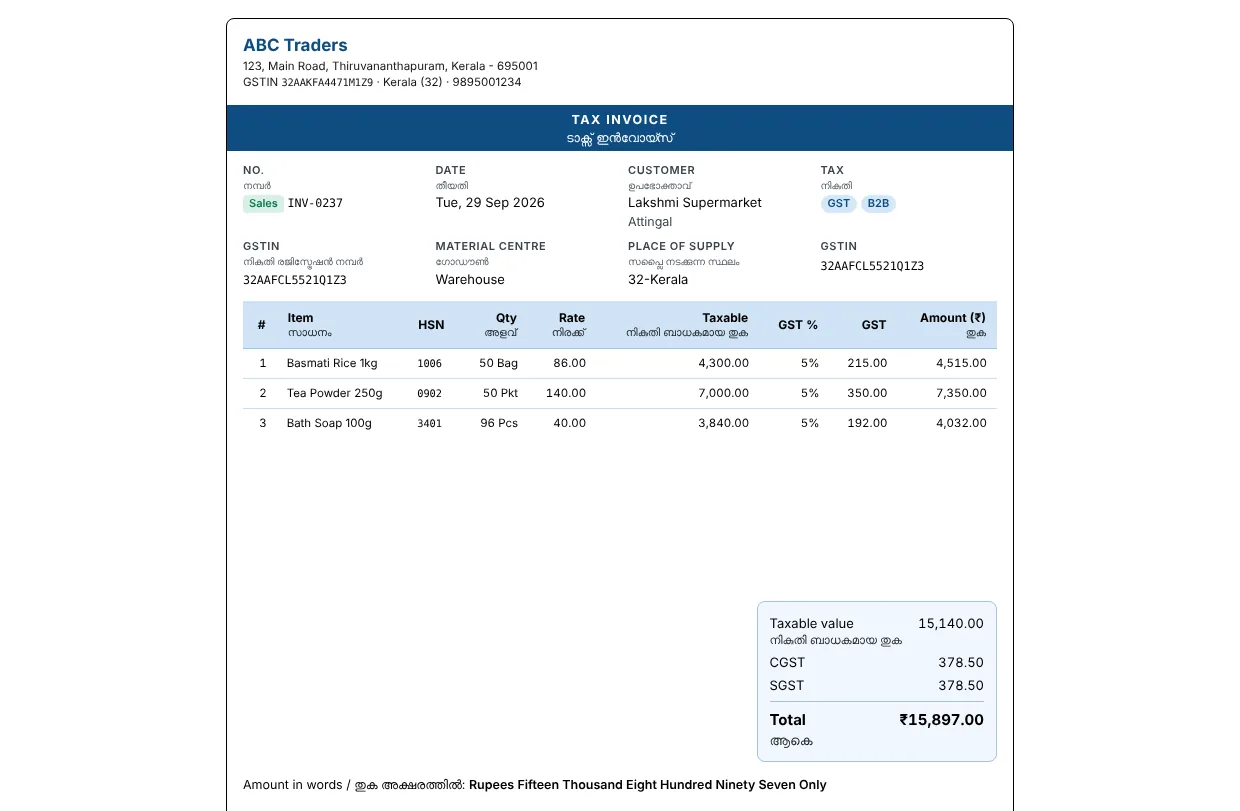
Made after ten years of supporting accounting software in Kerala shops. Fast billing from the keyboard, GST done properly, and bills your customers can read in their own language.
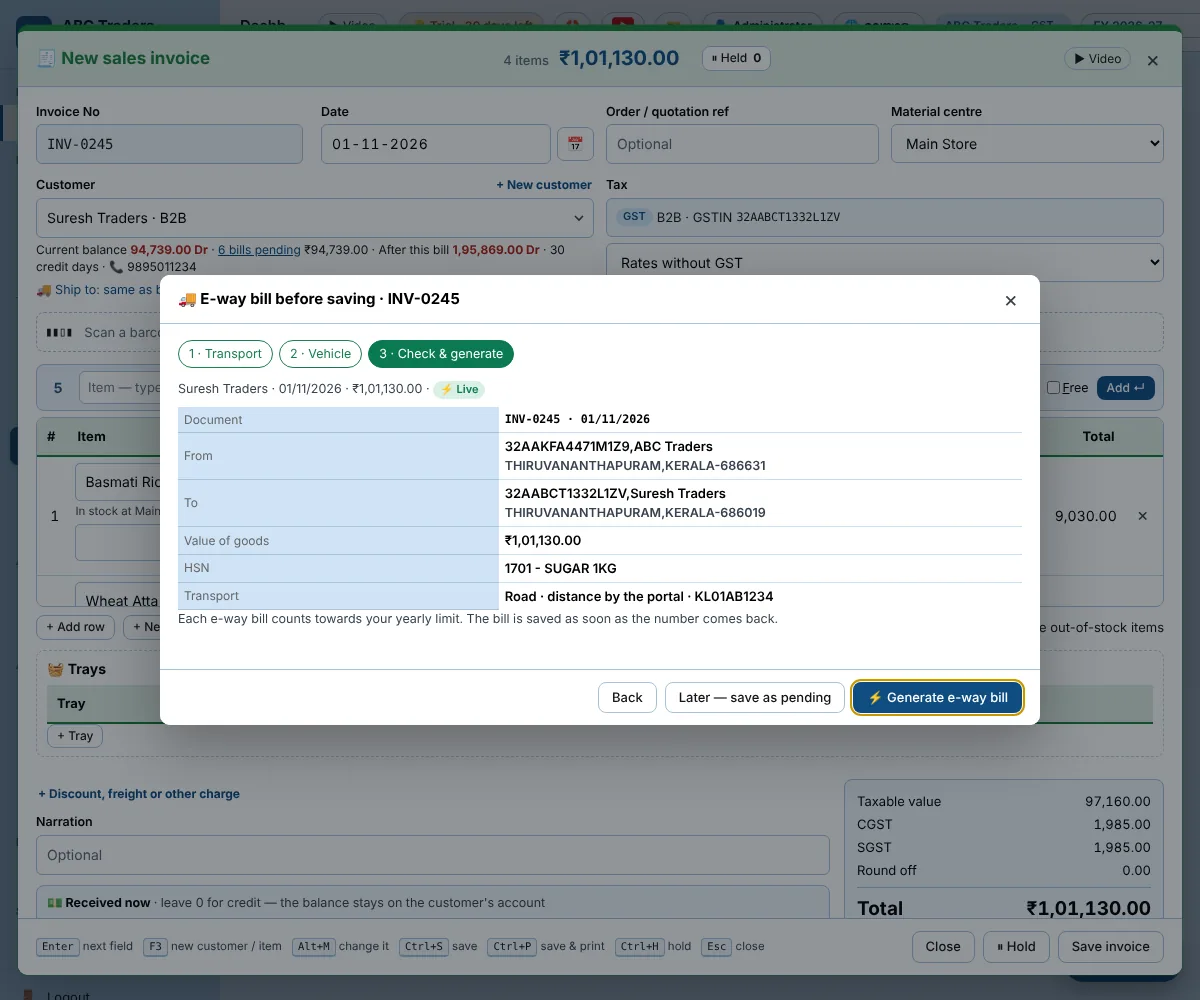
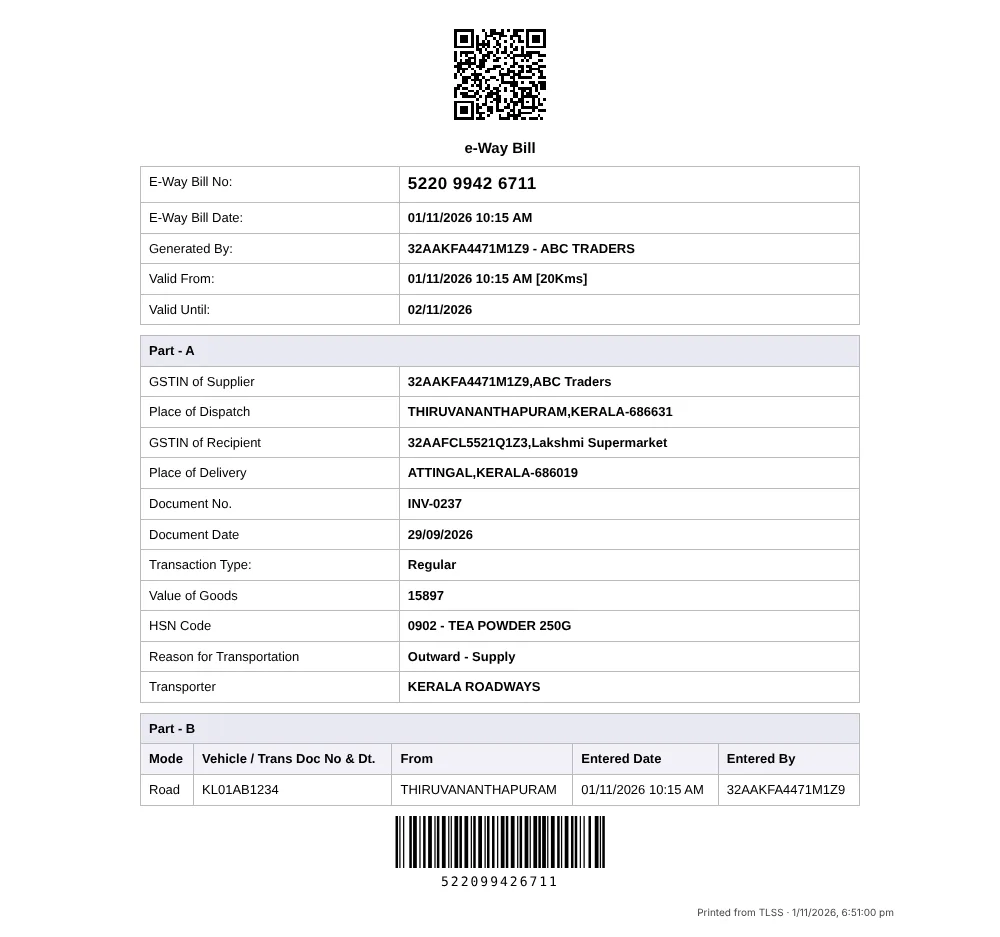
New in 2.2.1: the e-way bill is made while you save the bill, the e-way bill prints like the portal’s, reverse-charge purchases get their self-invoice, and one party can be both customer and supplier.
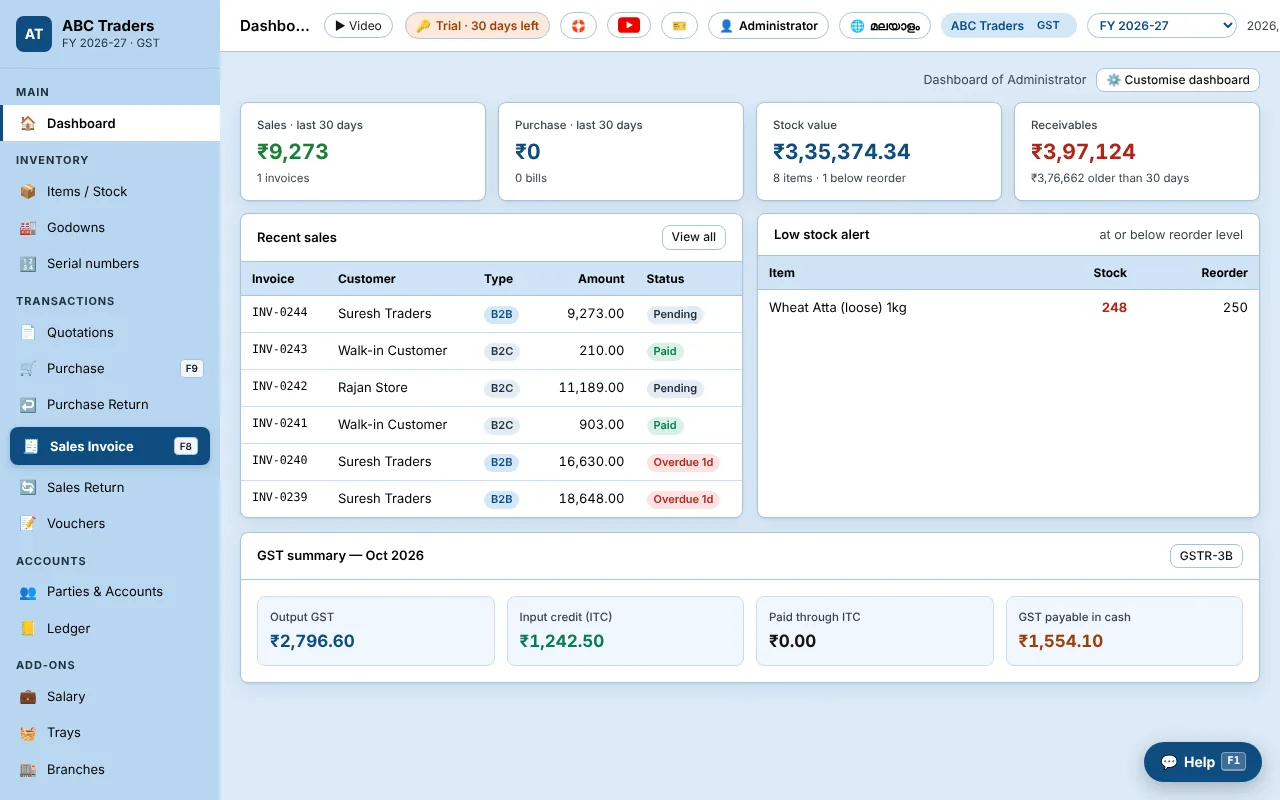
Billing
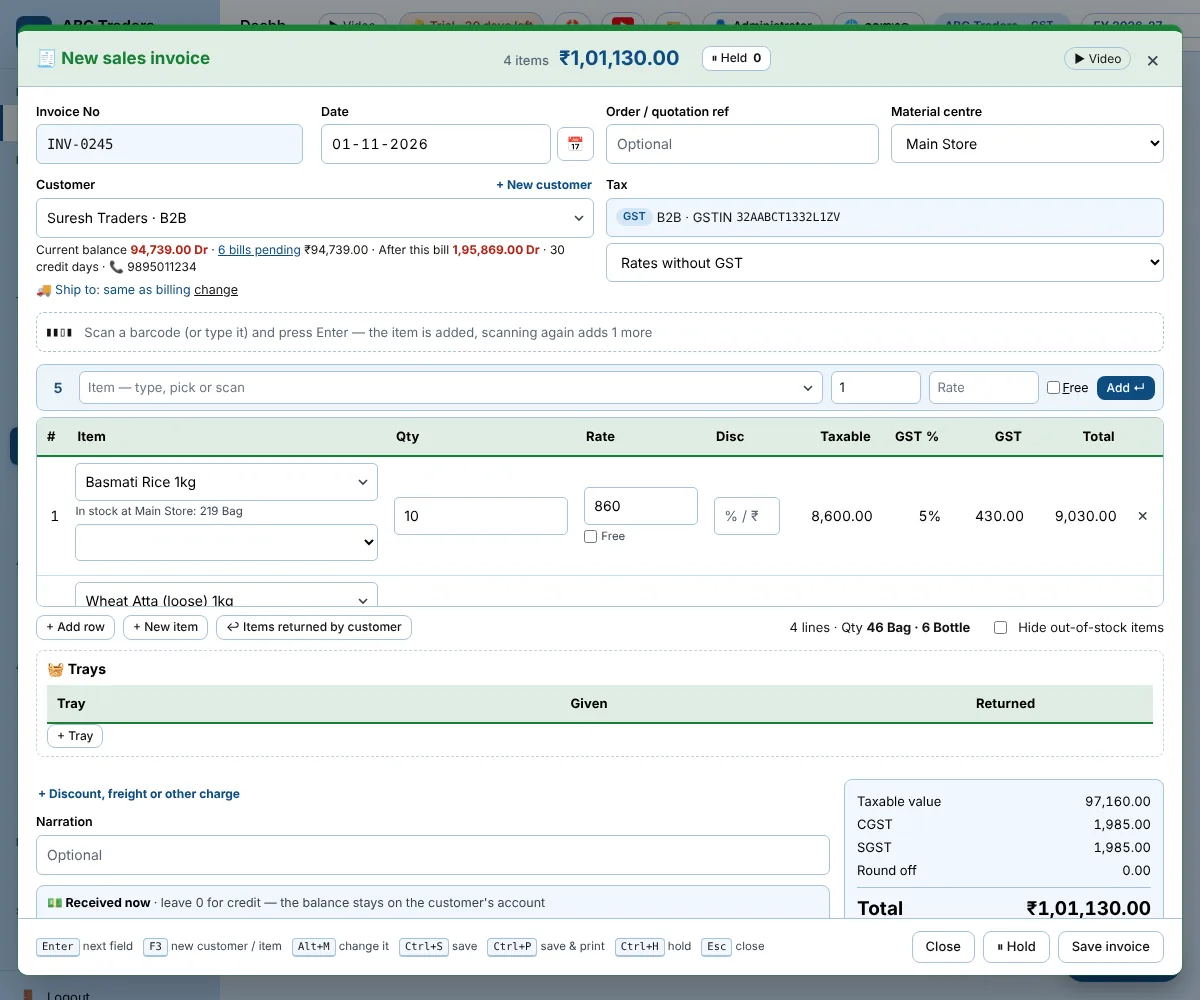
- Sales, purchase, returns, quotations and proforma
- F-keys for every entry, Ctrl+S to save
- Barcode scanning and barcode labels
- Packing units such as box and carton
- Cash, bank and credit in one bill
- One party as both customer and supplier
GST online
- E-way bill and e-invoice (IRN, signed QR) straight from TLSS — no JSON upload
- E-way bill made while you save the bill
- Type the GSTIN: name, address and PIN come from the GST portal
- HSN codes checked against the GST list
- First month free for new licences in India
GST and VAT
- GSTR-1 (JSON and Excel) and GSTR-3B
- Composition scheme: Bill of Supply, CMP-08, GSTR-4
- Reverse charge purchases with self-invoice
- Tax rate by date and by price
- VAT for Gulf companies, multi-currency customers
Stock
- Multiple godowns and transfers
- Stock journal and production
- Serial and IMEI numbers
- Physical stock count
- Low-stock alerts
Accounts and reports
- Ledger, day book, trial balance, P&L, balance sheet
- Outstanding and bill-wise ageing
- Audit trail: who changed what, and when
- Every report to Excel or PDF
Bills that look right
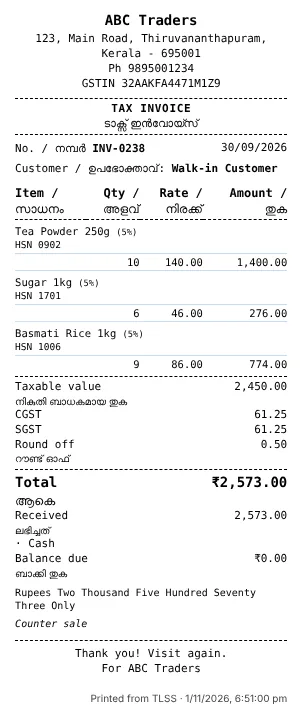
- A4, A5 and 3-inch thermal, bills of many pages
- Your logo, terms, bank details and UPI QR
- Labels in Malayalam, Hindi, Arabic and more
- Send bills on WhatsApp and email
Your CA, your branches, your laptop
- Send to CA — and take back the CA’s entries
- Owner Desk: a read-only copy on the owner’s laptop
- Branch sync between offices
- Bring masters and bills from Busy
Add-ons
- Salary: attendance, overtime, advances
- Trays for fruit and vegetable merchants
- Branch sync for more than one office
Safe and simple
- Users with their own permissions
- Several PCs on one data with TLSS Server (office LAN)
- Data saved on your PC, backed up every day
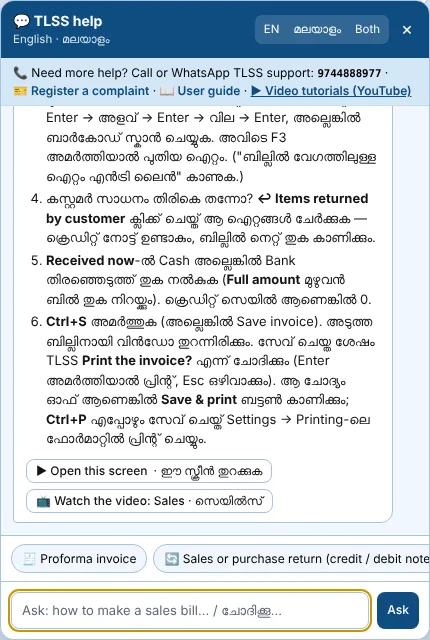
- Help built in: English, Malayalam, Hindi, Arabic
- Works without internet (online GST needs it)
| TLSS Standard | |
|---|---|
| Users | Unlimited |
| Companies | Unlimited |
| Licence | Per computer |
| Every feature above | Included |
| Online GST (e-way bill, e-invoice, GSTIN) | Yearly add-on — first month free |
| Salary, Trays, Branch sync | Optional add-ons |
| Licence for your CA | Free |
Try TLSS free for 30 days
Every feature is open during the trial. Practise with the sample companies, then create your own. When you're ready, we activate it for your computer.
- Version
- 2.2.1
- For
- Windows 10 or 11, 64-bit
- Size
- 83 MB
- User guide
- English · മലയാളം · हिन्दी · العربية
- Your data
- Stays on your computer in C:\TLSS\Data
- Videos
- Watch how to install · All tutorials on YouTube
Installing
- Open TLSS-Setup-2.2.1.exe from your Downloads folder.
- If Windows shows "Windows protected your PC", click More info, then Run anyway.
- Follow the steps and start TLSS. The first login is admin with password 1234 — TLSS then asks you to choose your own password.
Prefer to watch? See the install steps on video.
Stuck anywhere? Call 97448 88977 and we'll install it for you remotely.
SHA-256: 93f7ade0f3cc3d7fa70a5da325e12e43ad1684c22b4cd8b865d16b1ca36b5ff7
How it works
Call or WhatsApp
Tell us about your business: what you sell, how many counters and computers, and how you bill today.
We plan the setup
Which add-ons, how many computers, and what it will cost. No surprises later.
Install and set up
We install, create your company, enter opening balances and set your bill format.
Train and support
Your staff learn on your own data, and we stay a phone call away.
Talk to us
Call or WhatsApp for a new licence, a demo of TLSS, a renewal, or help with a problem right now.
97448 88977വിളിക്കൂ അല്ലെങ്കിൽ വാട്സ്ആപ്പ് ചെയ്യൂ.